
The Project Evaluation report is designed to extract project evaluation details of the projects which have been completed
Report Filters:
|
Filter |
Description |
|
Date Select |
The date selection enables the user to select a specific time period. Defaults to the current reporting period. |
|
Project Type |
Dropdown allows selection of all project types defined within Settings Configuration > Project Type area. 'Show All' is selected by default |
|
Parent/ Standalone Projects |
Dropdown list of all parent and standalone projects within the system. Allows you to select a parent/ standalone project. “Show All’ is selected by default |
|
Child Projects |
Dropdown list of all child projects linked to the parent project selected from ‘Parent/Standalone Projects’ dropdown filter. “Show All’ is selected by default |
Report Body:
|
Report Element |
Description |
|
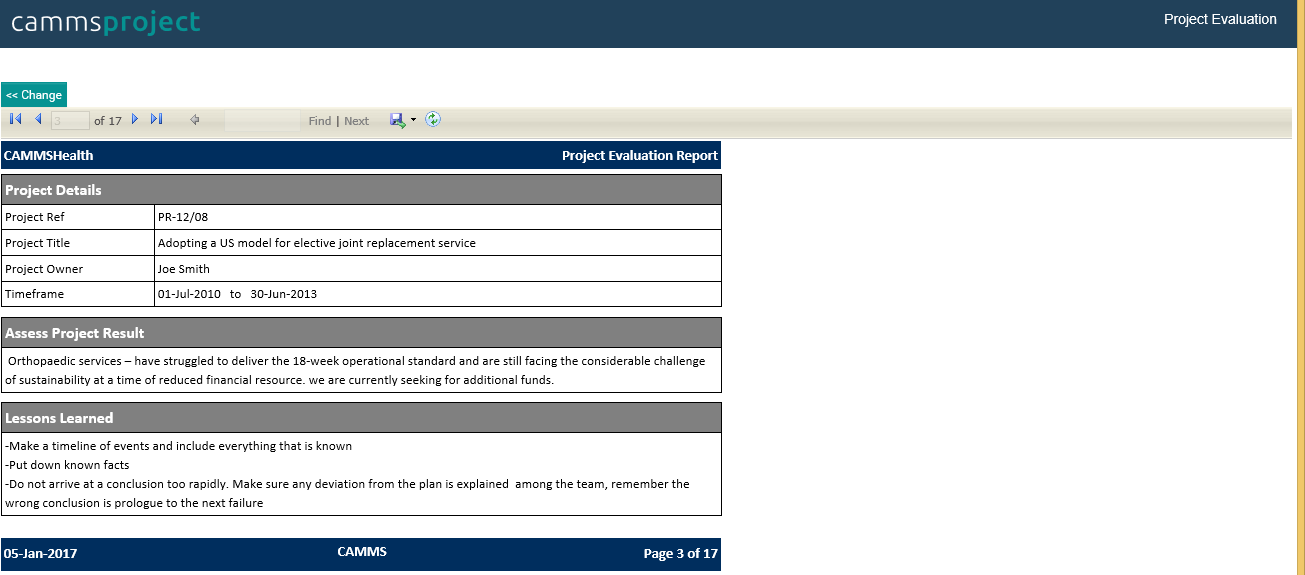
Project Details: |
|
|
Project Ref |
Project Reference code, (Defined when creating the project in Add new project area) |
|
Project Title |
The name of the project, (Defined when creating the project in Add new project area) |
|
Project Owner |
Project Owner defined within Project Details area |
|
Timeframe |
Project timeframe defined within Project Details object |
|
Assess Project Result: Displays the project comment defined within Project Details area
|
|
|
Lessons Learned: Displays the lessons learned within Lessons Learned object |
|
Copyright © 2014-2015 CAMMS Online Help. All rights reserved.
Last revised: July 26, 2017